
W-2 Access
Looking for your 2025 W-2 or Health Coverage Tax Documents?
%20(1).png?width=300&name=Coad_Hero_FAQ%201%20(1)%20(1).png)
How to Access Current Year W-2s via the CoAdQuantum Employee Portal
- Log into CoAdQuantum
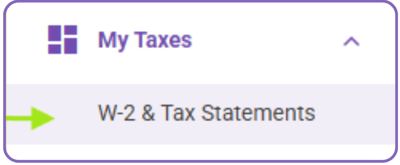
- Under My Taxes, select “W-2 & Tax Statements”
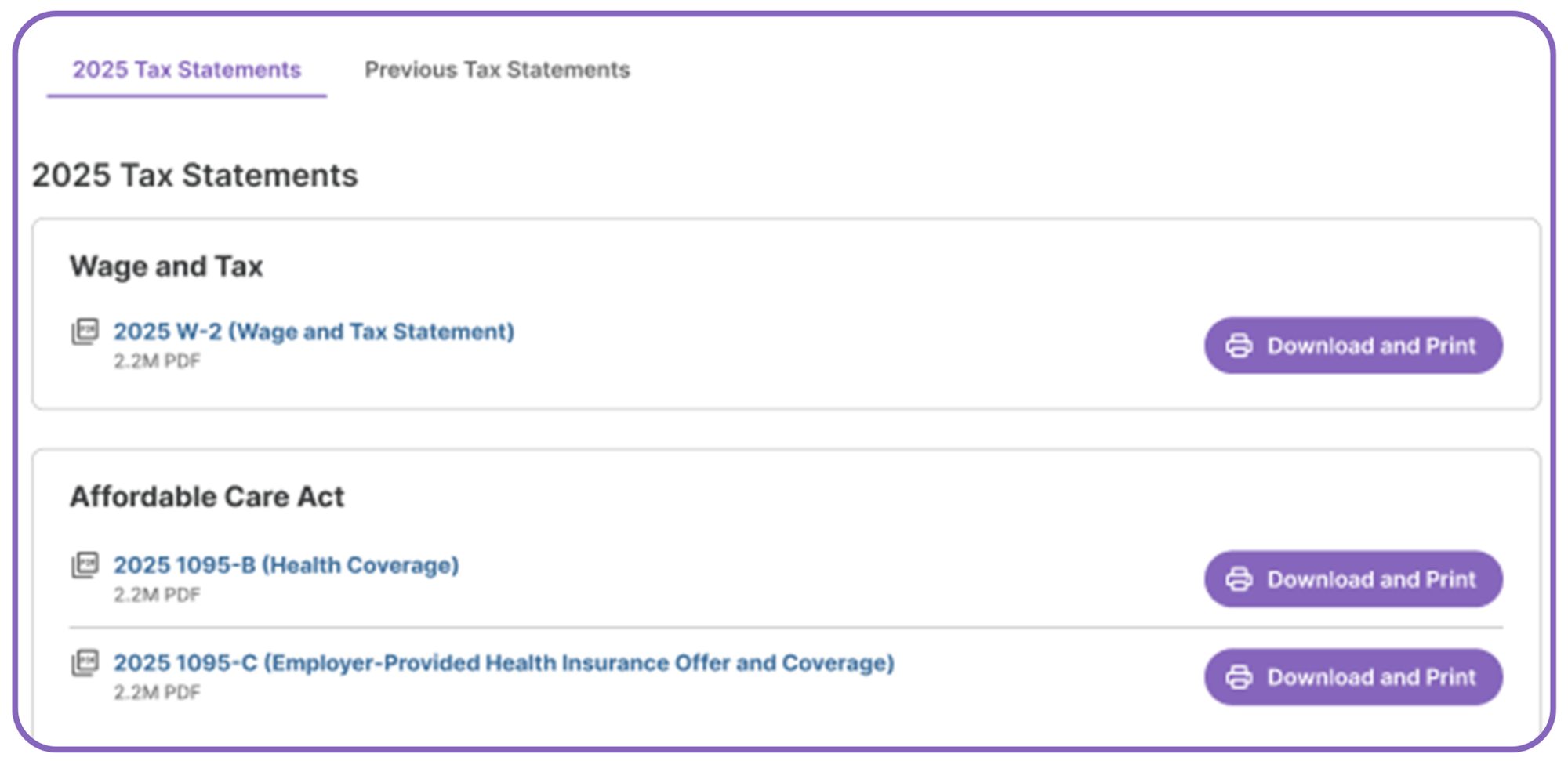
- A list of any 2025 Tax Statements and ACA Documents will be shown
- Click “Download and Print” to view/print the document
How to Access W-2s for Years Prior to 2024 (Including up to 3 Years Prior, or Through 2021) via Yearli
- Log into CoAdQuantum
- Under My Taxes, select “W-2 & Tax Statements”
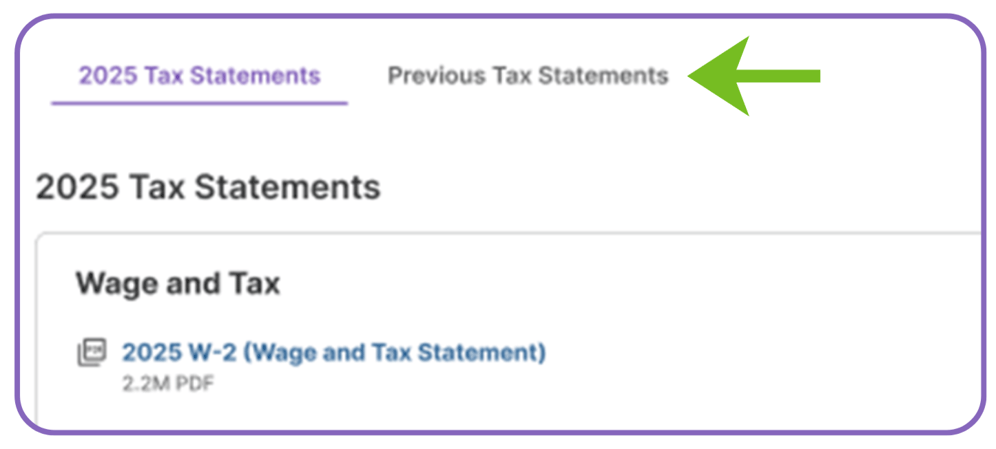
- 2025 Tax Statements and ACA Documents tab will default
- Click on the tab “Previous Tax Statements”
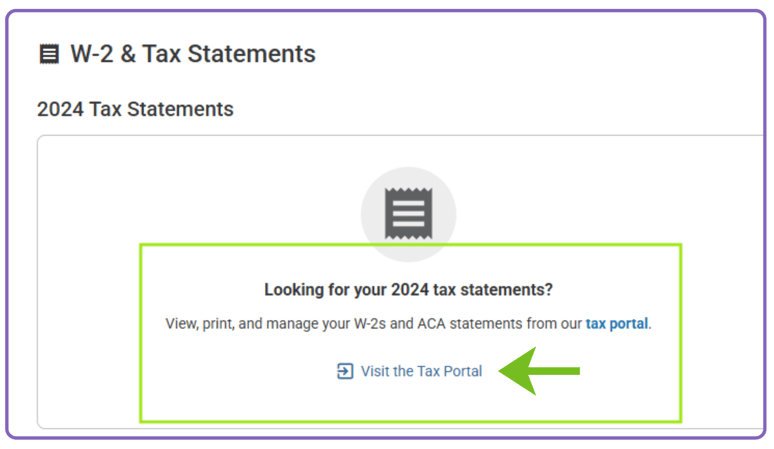
- A message will appear “Looking for your 2024 tax statements?”
- Click the “Visit the Tax Portal” link
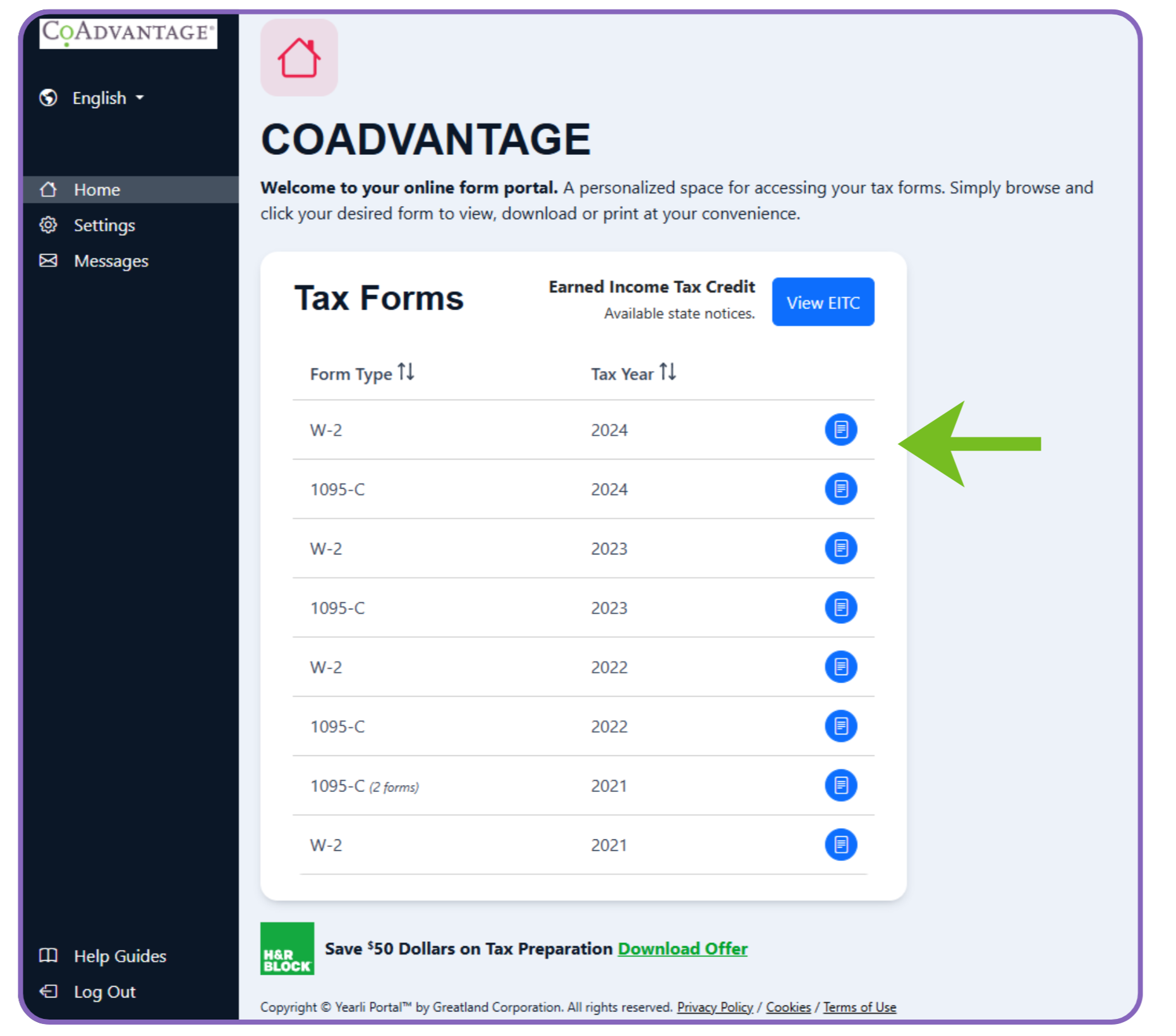
- The Yearli Portal will open and a list of all prior tax forms will be shown
- List will show Form Type and Tax Year
- Click on the blue download icon to the right of the form you wish to view
How to Access W-2s for Non-Active/Terminated Employees for Tax Years 2024 and Prior
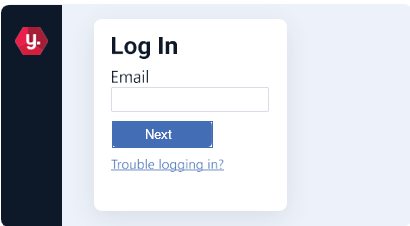
1. Logging in and setting up MFA
- Login to onlineformportal.com/coadvantage
- Verify account using email authentication with secure code
- Create a secure password (Secure password includes 10 characters, one number, one lowercase letter, one uppercase letter. Password cannot contain part of your username)
- Set up multi-factor authentication (MFA)
2. Retrieving tax forms
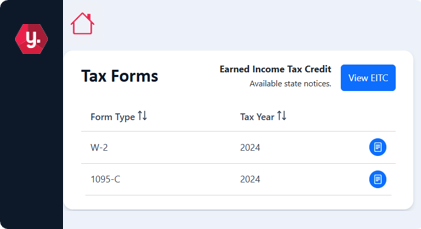
- Login to your account
- View list of available forms
- Locate the desired tax form, then click on the corresponding icon to view/print
3. Account management
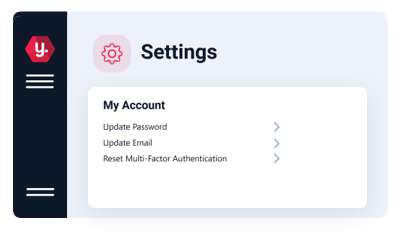
Need to update your password or change your account settings?
- Update your password
- Update email
- Reset MFA
4. Contacting support
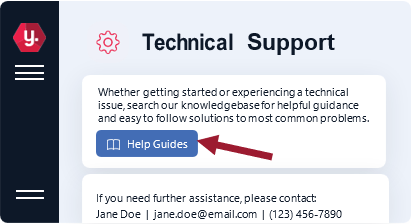
- For additional help or to contact support, click on "Settings"
- Then, click "Technical Support." The contact info for assistance is listed below the Help Guides button
- Click on "Help Guides" to view simple solutions to commonly asked questions
New Tax Rules on Tips & Overtime: What Employees Should Know
Recent changes to tax laws may affect how tips and overtime pay are treated for federal income tax purposes. Depending on your role and how you are paid, these updates could impact your taxable income and what you see on your W-2.
The blogs below explain how the No Tax on Tips and No Tax on Overtime rules work, who may qualify, and provide real-world examples to help you understand how these changes could apply to your situation.
Where can I find my premium qualified overtime for 2025 to file for a federal tax deduction?
Employees who earned qualified premium overtime in 2025 will find their information within CoAdQuantum by the end of January.
.png?width=972&height=364&name=Premium%20OT%20snapshot%20(002).png)
Where can I find my qualified tips for 2025 to file for a federal tax deduction?
Box 7. If employees reported tips to their employers in 2025, those amounts will be listed in Box 7 of their W2.
IMPORTANT HEALTH COVERAGE TAX DOCUMENTS
If you'd like to obtain a copy of your IRS Form 1095 (Employer-Provided Health Insurance Offer and Coverage) please use the information below to do so. Remember this information may also be accessed within CoAdQuantum, CoAdvantage's online employee portal.
|
Email: payrollsupport@coadvantage.com Phone: (941)925-2990 |
Mailing Address: CoAdvantage Resources C/O Payroll Support 101 Riverfront Blvd. Ste. 300 Bradenton, FL 34205 |
W-2 Employee Quick Reference Sheet & FAQs
About Your W-2
Your employer partners with CoAdvantage to process payroll, benefits, and taxes. This means all paychecks, including bonuses and commissions, are issued by CoAdvantage Resources. CoAdvantage is listed as the employer of record for payroll tax purposes.
Because of this relationship, CoAdvantage's name will appear on your Form W-2 even though you worked day-to-day for a different company.
The FAQs below address the most common questions employees have when reviewing their W-2. In many cases, differences are expected and do not indicate an error.
Frequently Asked Questions on W-2s
I never worked for CoAdvantage. Why is CoAdvantage listed on my W-2?
CoAdvantage partners with your employer to process payroll, benefits, and taxes. Your actual, on-site employer's name appears under CoAdvantage's name in Box C of your W-2.
You may have worked for the company in a short period of time or may not have realized that payroll was processed through CoAdvantage.
My W-2 does not match my last paycheck of the year. Is that a problem?
Not necessarily. Your W-2 reports taxable wages, not gross wages.
If you had pre-tax deductions (such as health insurance, flexible spending accounts, or retirement contributions), your W-2 wages will be lower than your gross pay.
To compare:
- Start with your gross wages.
- Subtract any pre-tax deductions.
- The results should closely match your taxable wages reported on your W-2.
Why are the amounts in Box 1, Box 3, and Box 5 different?
These boxes represent wages subject to different types of taxes, so it is common for them to differ.
- Box 1 (Federal taxable wages): Reduced by pre-tax deductions such as 401(k) or other deferred compensation.
- Box 3 (Social Security wages): Includes most wages subject to Social Security tax and may be higher than Box 1.
- Box 5 (Medicare wages): Often the highest amount, as fewer deductions reduce Medicare wages.
I contributed to a 401(k) or other deferred compensation plan. How does that affect my W-2?
If you made contributions to a 401(k) or other deferred compensation plan:
- Those contributions reduce Box 1 (Federal taxable wages).
- They do not reduce Social Security or Medicare wages (Boxes 3 and 5).
You can find your total deferred compensation amount in Box 12 of your W-2 (with the applicable code).
To reconcile Box 1, subtract deferred compensation and any other pre-tax deductions from your gross wages.
I worked for more than one company. Why did I receive one W-2 or multiple W-2s?
- If you worked for more than one CoAdvantage client within the same legal entity, you will receive one W-2 showing total wages.
- If you worked for employers in different legal entities, you will receive separate W-2 forms for each employer.
It looks like too much Social Security tax was withheld. Am I due a refund?
First, confirm whether you are a tipped employee.
- Tips are reported separately in Box 7.
- Social Security wages for tipped employees are calculated as:
Box 3 (Social Security wages) + Box 7 (Tips) = Total Social Security wages
These amounts must be included when filing your tax return. In many cases, the withholding is correct once tips are properly considered.
If you still believe there may be an error after reviewing this information, contact your employer for assistance.
Who should I contact if I believe my W-2 is incorrect?
If you believe there is an error on your W-2:
- Contact your employer first.
- They can review your information and work with CoAdvantage if a correction is needed.
Frequently Asked Questions on Health Coverage Tax Documents
The CoAdQuantum online tax portal states my Affordable Care Act (ACA) statements will be available by January 30, 2026. However, that date has passed and no forms can be found.
ACA tax forms are only required for Applicable Large Employers (ALEs)—employers that averaged 50 or more full-time (or equivalent) employees in the prior year. If your employer is not an ALE, ACA forms are not required and will not appear here. If your employer meets the ALE definition, a Form 1095-C will be provided in your CoAdQuantum Tax Portal.
Form 1095-B (proof of health coverage) may be provided by your industry health insurance carrier if your health insurance coverage is fully-insured through an insurance company.
Where can I find my ACA forms, or IRS Form 1095?
If applicable and required by law, your IRS Form 1095 is provided within CoAdQuantum's online employee portal under the Tax section.
Can I request my ACA form be mailed?
Yes, a copy of your IRS Form 1095 may be obtained upon request. Please email payrollsupport@coadvantage.com, or call (941) 925-2990, or mail a request to CoAdvantage Resources, C/O Payroll Support, 101 Riverfront Blvd., Ste.300, Bradenton, FL 34205.Contact CoAdvantage Resources If:
- You have not received your W-2 by the required distribution date.
- You need a reissued or replacement copy of your W-2
In most cases, contacting your employer first will result in the fastest resolution.